Introduction
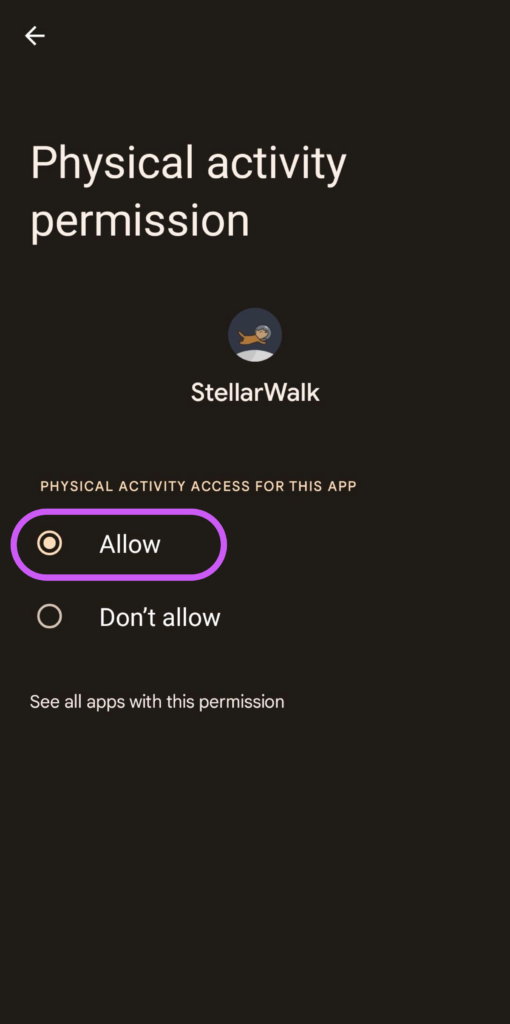
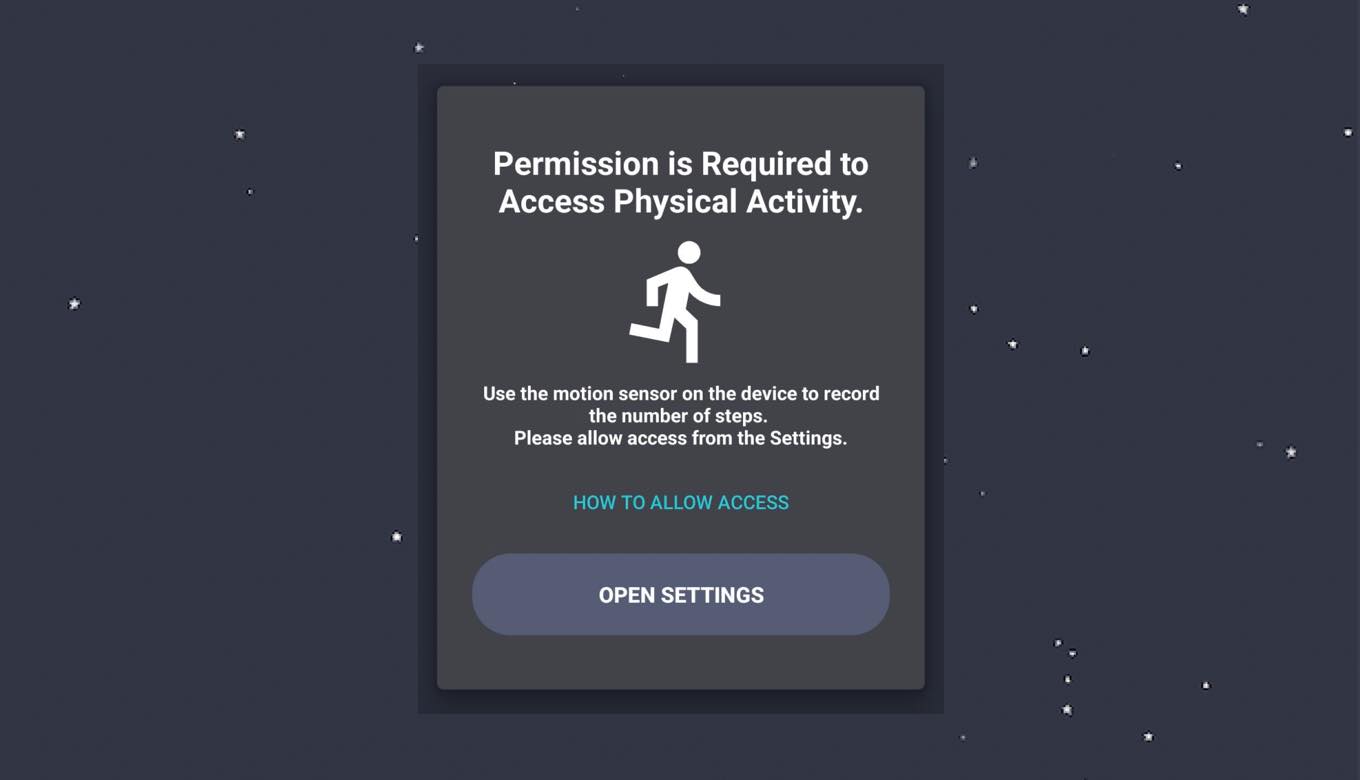
In this article, we will introduce how to grant the "Physical Activity" permission necessary for the "Stellar Walk" Android app.
This article is intended for those who forgot to grant permission at the beginning of the app.
Steps to Grant Physical Activity Permission
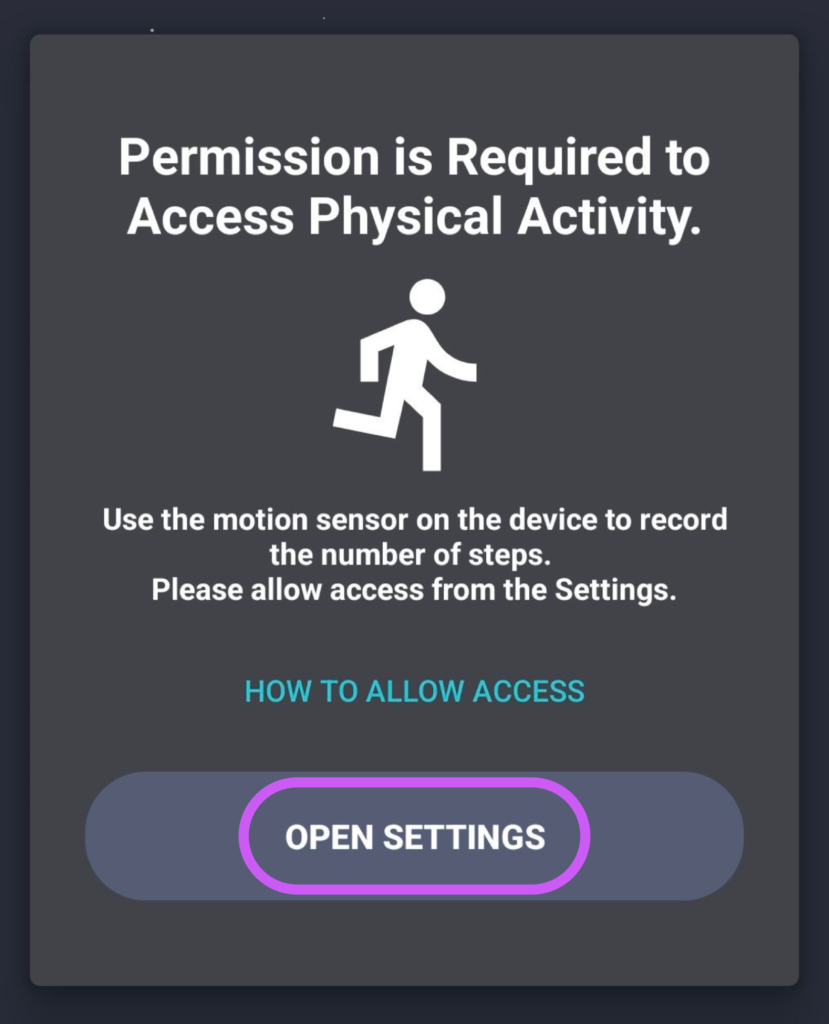
STEP.1
Open the Settings App
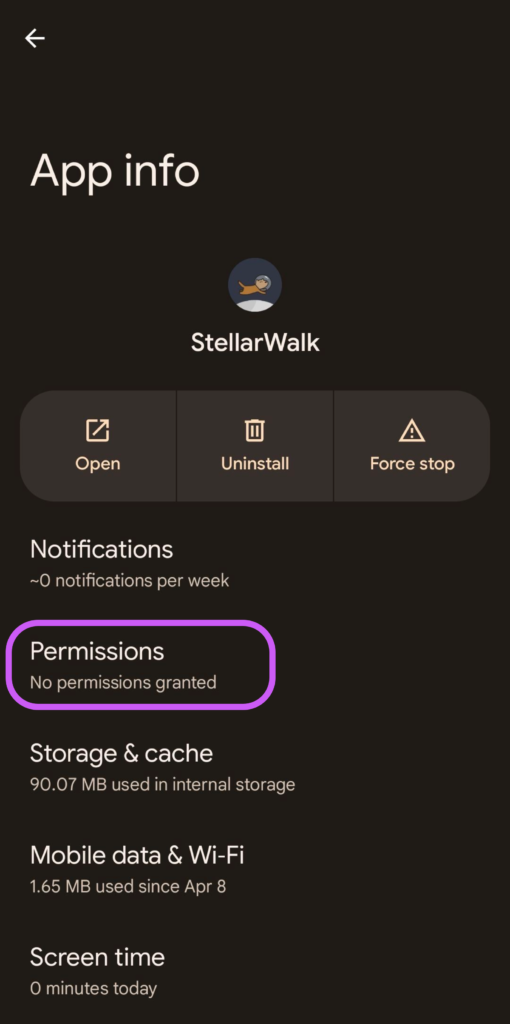
STEP.2
Tap on "Permissions"
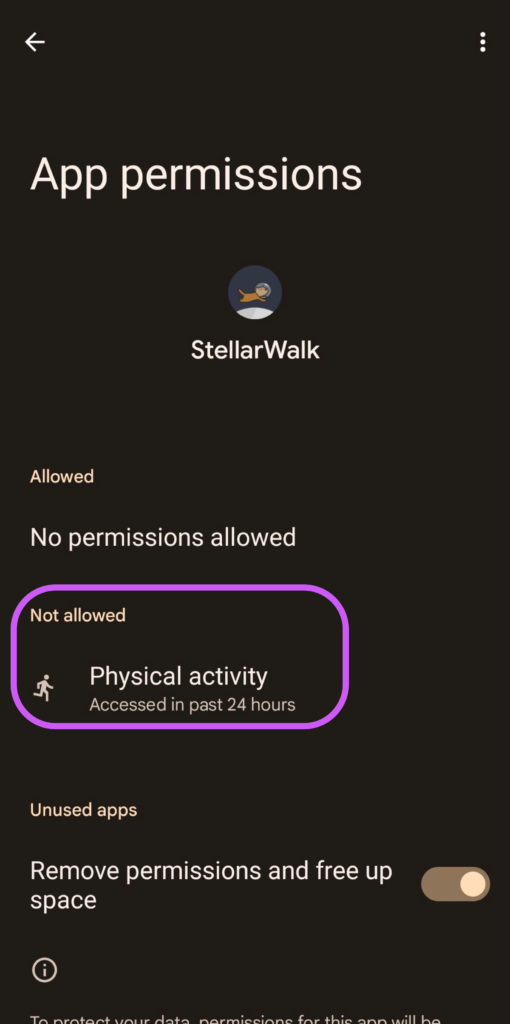
STEP.3
Tap on "Physical activity"
STEP.4
Go to "Allow"